# Getting Started with the OpenTelemetry Collector
> OpenTelemetry Collector is a high-performance, scalable, and reliable solution for collecting, processing, and exporting observability data. Learn how to install, configure, and effectively use it in your systems.
OpenTelemetry Collector is a high-performance, scalable, and reliable data collection pipeline for observability data. It receives telemetry data from various sources, performs processing and translation to a common format, and then exports the data to various backends for storage and analysis.
The OpenTelemetry Collector supports multiple data formats, protocols, and platforms, making it a flexible and scalable solution for observability needs. You can also watch this [introduction on YouTube](https://youtu.be/mbxp0xItWQk).
## How Does OpenTelemetry Collector Work?
[OpenTelemetry Collector](https://opentelemetry.io/docs/collector/getting-started/) serves as a vendor-agnostic proxy between your applications and [distributed tracing tools](/tools/distributed-tracing-tools) such as Uptrace or Jaeger.
The OpenTelemetry Collector operates through three main stages:
1. **Receiving** - Collecting data from various sources
2. **Processing** - Normalizing and transforming the data
3. **Exporting** - Sending processed data to different backends for storage and analysis
```mermaid
flowchart TD
subgraph Receivers
otlp_receiver(OTLP)
prometheus_receiver(Prometheus)
hostmetrics(Host Metrics)
redis(Redis)
end
subgraph Processors
extensions((Extensions\nhealth, pprof, zpages))
batch1(Batch) ---> attrs(Attributes)
batch2(Batch) ---> filters(Filters)
end
subgraph Exporters
otlp_exporter(OTLP)
prometheus_exporter(Prometheus)
backend[(Tracing tools\nUptrace, Jaeger)]
end
Receivers --> Processors
Processors --> Exporters
```
The OpenTelemetry Collector provides powerful data processing capabilities, including aggregation, filtering, sampling, and enrichment of telemetry data. You can transform and reshape the data to fit your specific monitoring and analysis requirements before sending it to backend systems.
The OpenTelemetry Collector is written in Go and licensed under Apache 2.0, which allows you to modify the source code and install custom extensions. However, this flexibility comes with the responsibility of maintaining your own OpenTelemetry Collector instances.
## When to Use OpenTelemetry Collector
While sending telemetry data directly to a backend is often sufficient, deploying OpenTelemetry Collector alongside your services offers several advantages:
- **Efficient batching and retries** - Optimizes data transmission and handles failures gracefully
- **Sensitive data filtering** - Removes or masks sensitive information before export
- **Whole-trace operations** - Essential for [tail-based sampling](/opentelemetry/sampling#tail-based)
- **Agent-like functionality** - Pulls telemetry data from sources (e.g., [OpenTelemetry Redis](/guides/opentelemetry-redis) or [host metrics](/opentelemetry/collector/host-metrics))
## otelcol vs otelcol-contrib
OpenTelemetry Collector has two repositories on GitHub:
- **opentelemetry-collector** - The core repository containing only the most essential components. It is distributed as the `otelcol` binary.
- **opentelemetry-collector-contrib** - Contains the core plus all additional available components, such as Redis and PostgreSQL receivers. It is distributed as the `otelcol-contrib` binary.
**Recommendation:** Always install and use `otelcol-contrib`, as it is as stable as the core and supports more features.
## Installation
OpenTelemetry Collector provides pre-compiled [binaries](https://github.com/open-telemetry/opentelemetry-collector-releases/releases) for Linux, macOS, and Windows.
### Linux
To install the `otelcol-contrib` binary with the associated systemd service, run the following command replacing `amd64` with the desired architecture:
```shell [Debian]
wget https://github.com/open-telemetry/opentelemetry-collector-releases/releases/download/v0.154.0/otelcol-contrib_0.154.0_linux_amd64.deb
sudo dpkg -i otelcol-contrib_0.154.0_linux_amd64.deb
```
```shell [RPM]
wget https://github.com/open-telemetry/opentelemetry-collector-releases/releases/download/v0.154.0/otelcol-contrib_0.154.0_linux_amd64.rpm
sudo rpm -ivh otelcol-contrib_0.154.0_linux_amd64.rpm
```
Check the status of the installed service:
```shell
sudo systemctl status otelcol-contrib
```
View the logs:
```shell
sudo journalctl -u otelcol-contrib -f
```
Edit the configuration file at `/etc/otelcol-contrib/config.yaml` and restart the OpenTelemetry Collector:
```shell
sudo systemctl restart otelcol-contrib
```
### Compiling from Source
You can also compile OpenTelemetry Collector locally:
```shell
git clone https://github.com/open-telemetry/opentelemetry-collector-contrib.git
cd opentelemetry-collector-contrib
make install-tools
make otelcontribcol
./bin/otelcontribcol_linux_amd64 --config ./examples/local/otel-config.yaml
```
## Configuration
OpenTelemetry Collector is highly configurable, allowing you to customize its behavior and integrate it into your observability stack. It provides configuration options for specifying receivers, processors, and [exporters](/opentelemetry/collector/exporters), enabling you to tailor the collector to your specific needs.
By default, the configuration file is located at `/etc/otelcol-contrib/config.yaml`:
**Important:** Add the Uptrace exporter to the `service.pipelines` section. Unused receivers and exporters are silently ignored.
```yaml
# Receivers configure how data gets into the Collector
receivers:
otlp:
protocols:
grpc:
http:
# Processors specify what happens with the received data
processors:
resourcedetection:
detectors: [env, system]
cumulativetodelta:
batch:
send_batch_size: 10000
timeout: 10s
# Exporters configure how to send processed data to one or more backends
exporters:
otlp/uptrace:
endpoint: api.uptrace.dev:4317
headers:
uptrace-dsn: ''
# Service pipelines pull the configured receivers, processors, and exporters together
# into pipelines that process data
#
# Note: Receivers, processors, and exporters not used in pipelines are silently ignored
service:
pipelines:
traces:
receivers: [otlp]
processors: [batch]
exporters: [otlp/uptrace]
metrics:
receivers: [otlp]
processors: [cumulativetodelta, batch, resourcedetection]
exporters: [otlp/uptrace]
logs:
receivers: [otlp]
processors: [batch]
exporters: [otlp/uptrace]
```
Learn more about OpenTelemetry Collector configuration in the official [documentation](https://opentelemetry.io/docs/collector/configuration/).
### Troubleshooting
If the OpenTelemetry Collector is not working as expected, check the log output for potential issues. The logging verbosity level defaults to `INFO`, but you can change it in the configuration file:
```yaml
service:
telemetry:
logs:
level: 'debug'
```
View the logs for potential issues:
```shell
sudo journalctl -u otelcol-contrib -f
```
Enable metrics to monitor the OpenTelemetry Collector itself:
```yaml
receivers:
prometheus/otelcol:
config:
scrape_configs:
- job_name: 'otelcol'
scrape_interval: 10s
static_configs:
- targets: ['0.0.0.0:8888']
service:
telemetry:
metrics:
address: ':8888'
pipelines:
metrics/hostmetrics:
receivers: [prometheus/otelcol]
processors: [cumulativetodelta, batch, resourcedetection]
exporters: [otlp/uptrace]
```
### Extensions
[Extensions](https://github.com/open-telemetry/opentelemetry-collector-contrib/tree/main/extension) provide additional capabilities for OpenTelemetry Collector without requiring direct access to telemetry data. For example, the Health Check extension responds to health check requests.
```yaml
extensions:
# Health Check extension responds to health check requests
health_check:
# PProf extension allows fetching the Collector's performance profile
pprof:
# zPages extension enables in-process diagnostics
zpages:
# Memory Ballast extension configures memory ballast for the process
memory_ballast:
size_mib: 512
```
### Prometheus Integration
For Prometheus integration, see [OpenTelemetry Collector Prometheus](/opentelemetry/collector/prometheus).
## Host Metrics
For information on host metrics, see [OpenTelemetry host metrics](/opentelemetry/collector/host-metrics).
### Exporting Data to Uptrace
For instructions on sending data from the OpenTelemetry Collector to Uptrace, see [Sending data from Otel Collector to Uptrace](/ingest/collector).
For high-volume deployments, consider using [OTel Arrow](/ingest/otelarrow) to reduce bandwidth by up to 50%.
## Resource Detection
To detect resource information from the host, the OpenTelemetry Collector includes the [resourcedetection](https://github.com/open-telemetry/opentelemetry-collector-contrib/tree/main/processor/resourcedetectionprocessor) processor.
The Resource Detection Processor automatically detects and labels metadata about the environment in which the data was generated. This metadata, known as "resources," provides context to the telemetry data and can include information about the host, service, container, and cloud provider.
For example, to detect `host.name` and `os.type` attributes, use the system detector:
```yaml
processors:
resourcedetection:
detectors: [env, system]
service:
pipelines:
metrics:
receivers: [otlp, hostmetrics]
processors: [batch, resourcedetection]
exporters: [otlp/uptrace]
```
To add custom attributes such as an IP address, use environment variables with the `env` detector:
```shell
export OTEL_RESOURCE_ATTRIBUTES="instance=127.0.0.1"
```
For more specialized detection, use platform-specific detectors:
**Amazon EC2** (discovers `cloud.region` and `cloud.availability_zone`):
```yaml
processors:
resourcedetection/ec2:
detectors: [env, ec2]
```
**Google Cloud:**
```yaml
processors:
resourcedetection/gcp:
detectors: [env, gcp]
```
**Docker:**
```yaml
processors:
resourcedetection/docker:
detectors: [env, docker]
```
Check the official [documentation](https://github.com/open-telemetry/opentelemetry-collector-contrib/tree/main/processor/resourcedetectionprocessor#system-metadata) to learn about available detectors for Heroku, Azure, Consul, and many others.
## Memory Limiter
The [memorylimiterprocessor](https://github.com/open-telemetry/opentelemetry-collector/tree/main/processor/memorylimiterprocessor) allows you to limit the amount of memory consumed by the OpenTelemetry Collector when processing telemetry data. It prevents the collector from using excessive memory, which can lead to performance issues or crashes.
The Memory Limiter Processor periodically checks the memory consumed by the OpenTelemetry Collector and compares it to a user-defined limit. If the collector exceeds the specified limit, the processor starts dropping telemetry data until memory usage falls below the threshold.
To enable the memory limiter:
```yaml
processors:
memory_limiter:
check_interval: 1s
limit_mib: 4000
spike_limit_mib: 800
service:
pipelines:
metrics:
processors: [memory_limiter]
```
## Uptrace
### What is Uptrace?
[Uptrace](/) is an open-source Application Performance Monitoring (APM) platform that provides comprehensive observability for modern applications. Built on ClickHouse, a high-performance columnar database, Uptrace efficiently processes and stores billions of spans, metrics, and logs while maintaining low operational costs.
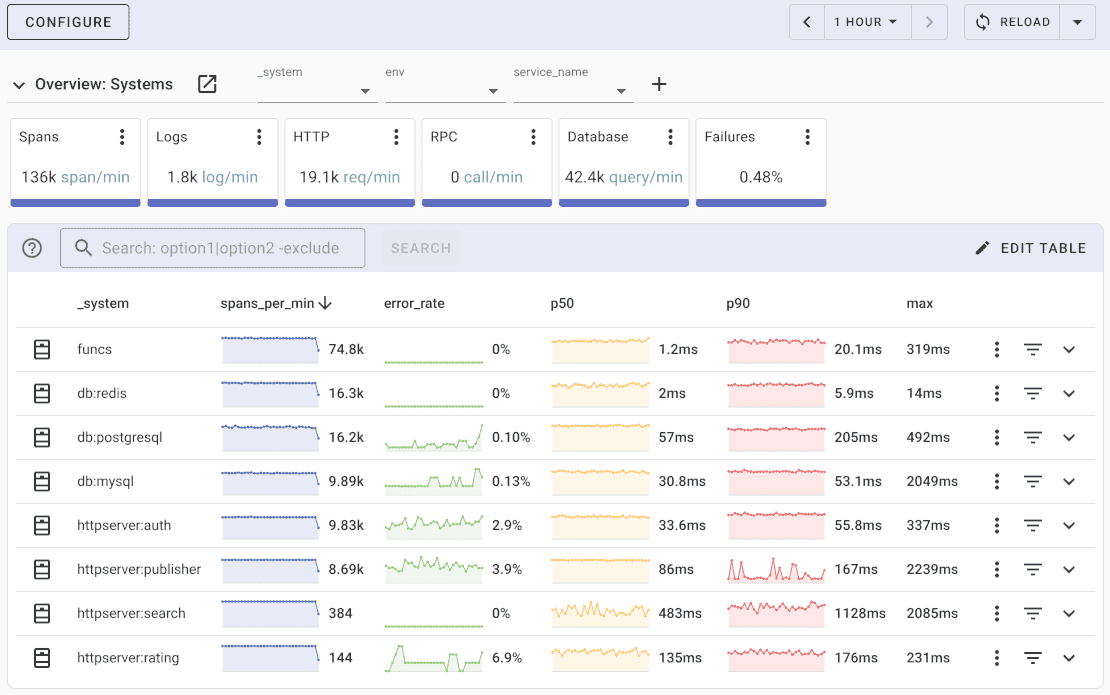
Key features of Uptrace include:
- **Unified Observability** - Collects and correlates traces, metrics, and logs in a single platform
- **Intuitive Query Builder** - Provides a user-friendly interface for exploring and analyzing telemetry data
- **Rich Dashboards** - Offers customizable dashboards for visualizing application performance and system health
- **Intelligent Alerting** - Supports configurable alerting rules with notifications via email, Slack, Telegram, and other channels
- **Cost-Effective** - Processes billions of spans on a single server, reducing infrastructure costs by up to 10x compared to traditional solutions
- **OpenTelemetry Native** - Built from the ground up to support OpenTelemetry standards
### How Uptrace Works with OpenTelemetry Collector
Uptrace seamlessly integrates with OpenTelemetry Collector as a backend destination for telemetry data. The OpenTelemetry Collector acts as an intermediary between your instrumented applications and Uptrace, providing data processing, transformation, and routing capabilities.
The integration flow works as follows:
1. **Applications send telemetry data** to the OpenTelemetry Collector using OTLP (OpenTelemetry Protocol)
2. **The Collector processes the data** through configured pipelines (batching, filtering, enrichment)
3. **Processed data is exported to Uptrace** using the OTLP exporter with Uptrace-specific configuration
4. **Uptrace stores and indexes the data** in ClickHouse for efficient querying and analysis
### Configuring OpenTelemetry Collector for Uptrace
To send telemetry data from OpenTelemetry Collector to Uptrace, configure an OTLP exporter with your Uptrace DSN (Data Source Name):
```yaml
exporters:
otlp/uptrace:
endpoint: api.uptrace.dev:4317 # Or your self-hosted Uptrace endpoint
headers:
uptrace-dsn: '' # Obtain from your Uptrace project settings
tls:
insecure: false # Set to true only for local development
service:
pipelines:
traces:
receivers: [otlp]
processors: [batch]
exporters: [otlp/uptrace]
metrics:
receivers: [otlp]
processors: [batch, resourcedetection]
exporters: [otlp/uptrace]
logs:
receivers: [otlp]
processors: [batch]
exporters: [otlp/uptrace]
```
### Benefits of Using Uptrace with OpenTelemetry Collector
Combining Uptrace with OpenTelemetry Collector provides several advantages:
- **Data Processing at the Edge** - Transform and filter data before sending to Uptrace, reducing bandwidth and storage costs
- **Multi-Source Collection** - Aggregate telemetry from various sources and protocols before forwarding to Uptrace
- **Resilient Data Pipeline** - The Collector handles retries and buffering, ensuring reliable data delivery
- **Flexible Deployment** - Deploy the Collector as a sidecar, daemon, or gateway depending on your architecture
- **Resource Detection** - Automatically enrich telemetry with environment metadata before sending to Uptrace
### Getting Started with Uptrace
To begin using Uptrace as your observability backend:
1. **Install Uptrace** - Download and install Uptrace using DEB/RPM packages or pre-compiled binaries
2. **Create a Project** - Set up a new project in Uptrace and obtain your DSN
3. **Configure the Collector** - Add the Uptrace exporter to your OpenTelemetry Collector configuration
4. **Instrument Your Applications** - Use OpenTelemetry SDKs to instrument your applications
5. **Explore Your Data** - Use Uptrace's query builder and dashboards to analyze your telemetry data
For detailed installation and configuration instructions, visit the [Uptrace documentation](/get).